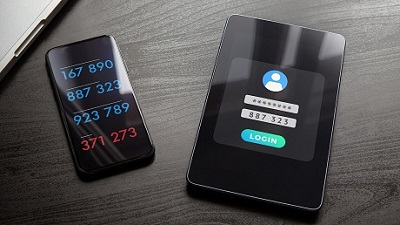
 It’s now well known that usernames and passwords aren’t enough to securely access online services. A recent study highlighted more than 80% of all hacking-related breaches happen due to compromised and weak credentials, with three billion username/password combinations stolen in 2016 alone. As such, the implementation of two-factor authentication (2FA) has become a necessity. Generally, 2FA aims to provide an additional layer of security to the relatively vulnerable username/password system. It’s now well known that usernames and passwords aren’t enough to securely access online services. A recent study highlighted more than 80% of all hacking-related breaches happen due to compromised and weak credentials, with three billion username/password combinations stolen in 2016 alone. As such, the implementation of two-factor authentication (2FA) has become a necessity. Generally, 2FA aims to provide an additional layer of security to the relatively vulnerable username/password system. It works too. Figures suggest users who enabled 2FA ended up blocking about 99.9% of automated attacks. But as with any good cybersecurity solution, attackers can quickly come up with ways to circumvent it. They can bypass 2FA through the one-time codes sent as an SMS to a user’s smartphone. Yet many critical online services in Australia still use SMS-based one-time codes, including myGov and the Big 4 banks: ANZ, Commonwealth Bank, NAB, and Westpac. Major vendors such as Microsoft have urged users to abandon 2FA solutions that leverage SMS and voice calls. This is because SMS is renowned for having infamously poor security, leaving it open to a host of different attacks. For example, SIM swapping has been demonstrated as a way to circumvent 2FA. SIM swapping involves an attacker convincing a victims’ mobile service provider they themselves are the victim and then requesting the victim’s phone number be switched to a device of their choice. SMS-based one-time codes are also shown to be compromised through readily available tools such as Modlishka by leveraging a technique called a reverse proxy. This facilitates communication between the victim and the service being impersonated. So in the case of Modlishka, it will intercept communication between a genuine service and a victim and will track and record the victims’ interactions with the service, including any login credentials they may use). In addition to these existing vulnerabilities, our team has found additional vulnerabilities in SMS-based 2FA. One particular attack exploits a feature provided on the Google Play Store to automatically install apps from the web to your android device. If an attacker has access to your credentials and manages to log into your Google Play account on a laptop (although you will receive a prompt), they can then install any app they’d like automatically onto your smartphone. Experiments revealed a malicious actor can remotely access a user’s SMS-based 2FA with little effort, through the use of a popular app (name and type withheld for security reasons) designed to synchronize user’s notifications across different devices. Specifically, attackers can leverage a compromised email/password combination connected to a Google account (such as This email address is being protected from spambots. You need JavaScript enabled to view it.) to nefariously install a readily available message mirroring app on a victim’s smartphone via Google Play. This is a realistic scenario since it’s common for users to use the same credentials across a variety of services. Using a password manager is an effective way to make your first line of authentication — your username/password login — more secure. Once the app is installed, the attacker can apply simple social engineering techniques to convince the user to enable the permissions required for the app to function properly. For example, they may pretend to be calling from a legitimate service provider to persuade the user to enable the permissions. After this, they can remotely receive all communications sent to the victim’s phone, including one-time codes used for 2FA. Although multiple conditions must be fulfilled for the aforementioned attack to work, it still demonstrates the fragile nature of SMS-based 2FA methods. There is more of this post on OUR FORUM.  Time crystals sound like majestic objects from science fiction movies that unlock passageways to alternative universes. In the Marvel universe, the “time stone” gives wielders control over the past, present, and future. While that remains a fantasy, scientists have successfully created micro-scale time crystals for years — not for powering intergalactic spaceships but for energizing ultrapowerful computers. “Time crystals are like a rest stop on the road to building a quantum computer,” said Norman Yao, a molecular physicist at the University of California at Berkeley. It’s an area of interest for Google, which, along with physicists at Stanford and Princeton universities, claim to have developed a “scalable approach” to time crystal creation using the company’s Sycamore quantum computer. In a paper published last month on the research-sharing platform Arxiv.org, a team of over 100 scientists describes how they set up an array of 20 quantum particles, or qubits, to serve as a time crystal. During experiments, they applied algorithms that spun the qubits upward and downward, generating a controllable reaction that could be sustained “for infinitely long times,” according to the paper. Time crystals are scientific oddities made of atoms arranged in a repeating pattern in space. This design enables them to shift shape over time without losing energy or overheating. Since time crystals continuously evolve and don’t seem to require much energy input, they may be useful for quantum computers, which rely on extremely fragile qubits that are prone to decay. Quantum computing is weighed down by hard-to-control qubits, which are error-prone and often die. Time crystals might introduce a better method for sustaining quantum computing, according to Yao, who published a blueprint for making time crystals in 2017. “Time crystals are a weighted benchmark, showing that your system has the requisite level of control,” Yao said. The scientists involved in Google’s research say they can’t discuss their findings as they undergo peer review. However, the work tackles an area where physicists have long hoped for a breakthrough. “The consequence is amazing: You evade the second law of thermodynamics,” Roderich Moessner, a co-author of the Google paper, told Quanta Magazine. The time crystal concept was first proposed in 2012 by Nobel Prize-winning physicist Frank Wilczek, who wondered whether atoms could be arranged in time similar to their arrangement in ordinary crystals. Essentially, he wondered whether a closed system could spin, oscillate or move in a repetitious manner. What followed was a healthy dose of scrutiny from the broader physics community, years of university experiments with and without Wilczek, and testing to see whether his vision was possible. The definition expanded to include objects that would be activated by an external influence such as a shake, stir, or laser strike. “The definition is somewhat fluid. But if you want to call it a new state of matter, you want it to be autonomous and not have stirred,” Wilczek said. Early experiments pumped ions with lasers so they would artificially pulsate. It was useful but difficult to scale, Wilczek added. By 2017, scientists from Harvard University and the University of Maryland revealed they created micro-scale time crystals at frigid temperatures in a lab. Both passed peer review. More recently, a team from the Delft University of Technology in the Netherlands published findings in July on its approach to building a time crystal inside a diamond. (Those findings haven’t undergone peer review.) Time crystals are a tough concept to grasp, but scientists say you can think of them as a perpetual motion machine, adding a caveat to the second law of thermodynamics, which states that any isolated system will degenerate into a more disordered state or entropy. Their existence also undermines Newton’s first law of motion, detailing how an object must react to motion. To learn more visit OUR FORUM.  In a new FAQ, Apple has attempted to assuage concerns that its new anti-child abuse measures could be turned into surveillance tools by authoritarian governments. “Let us be clear, this technology is limited to detecting CSAM [child sexual abuse material] stored in iCloud and we will not accede to any government’s request to expand it,” the company writes. Apple’s new tools, announced last Thursday, include two features designed to protect children. One, called “communication safety,” uses on-device machine learning to identify and blur sexually explicit images received by children in the Messages app, and can notify a parent if a child age 12 and younger decides to view or send such an image. The second is designed to detect known CSAM by scanning users’ images if they choose to upload them to iCloud. Apple is notified if CSAM is detected, and it will alert the authorities when it verifies such material exists. The plans met with a swift backlash from digital privacy groups and campaigners, who argued that these introduce a backdoor into Apple’s software. These groups note that once such a backdoor exists there is always the potential for it to be expanded to scan for types of content that go beyond child sexual abuse material. Authoritarian governments could use it to scan for politically dissent material, or anti-LGBT regimes could use it to crack down on sexual expression. “Even a thoroughly documented, carefully thought-out, and the narrowly-scoped backdoor is still a backdoor,” the Electronic Frontier Foundation wrote. “We’ve already seen this mission creep in action. One of the technologies originally built to scan and hash child sexual abuse imagery has been repurposed to create a database of ‘terrorist’ content that companies can contribute to and access for the purpose of banning such content.” However, Apple argues that it has safeguards in place to stop its systems from being used to detect anything other than sexual abuse imagery. It says that its list of banned images is provided by the National Center for Missing and Exploited Children (NCMEC) and other child safety organizations and that the system “only works with CSAM image hashes provided by NCMEC and other child safety organizations.” Apple says it won’t add to this list of image hashes, and that the list is the same across all iPhones and iPads to prevent individual targeting of users. The company also says that it will refuse demands from governments to add non-CSAM images to the list. “We have faced demands to build and deploy government-mandated changes that degrade the privacy of users before, and have steadfastly refused those demands. We will continue to refuse them in the future,” it says. It’s worth noting that despite Apple’s assurances, the company has made concessions to governments in the past in order to continue operating in their countries. It sells iPhones without FaceTime in countries that don’t allow encrypted phone calls, and in China, it’s removed thousands of apps from its App Store, as well as moved to store user data on the servers of a state-run telecom. The FAQ also fails to address some concerns about the feature that scans Messages for sexually explicit material. The feature does not share any information with Apple or law enforcement, the company says, but it doesn’t say how it’s ensuring that the tool’s focus remains solely on sexually explicit images. “All it would take to widen the narrow backdoor that Apple is building is an expansion of the machine learning parameters to look for additional types of content, or a tweak of the configuration flags to scan, not just children’s, but anyone’s accounts,” wrote the EFF. The EFF also notes that machine-learning technologies frequently classify this content incorrectly, and cites Tumblr’s attempts to crack down on sexual content as a prominent example of where the technology has gone wrong. Follow this and more on OUR FORUM. |
Latest Articles
|